MagieCRM for landscaping companies
MagieCRM handles the office side of a landscaping company: design requests, site visits, proposals, installs and invoices. If most of your work is weekly mowing on set routes, Jobber or GorillaDesk will suit you better.
Checked against the product and competitors' pricing pages, October 1, 2026.
What a landscaping company would track
A patio can take six weeks from first call to final payment, and a maintenance client renews once a year, so each kind of work gets its own list, called a tracker. You name them, or Magie, the built-in assistant, suggests some. For a design and install company:
Weekly mowing and maintenance visits
A weekly recurring job can add a visit for every maintenance client and date it the Monday of that week, with no start time, crew or route. It can't run every other week or skip anyone, so even clients in Paused for winter or Not renewing get a weekly visit.
Each visit is a record, and every record you keep, finished ones included, counts toward your plan's limit. Forty weekly clients make 2,080 visits a year. Starter holds 1,000, and even a 30-week season is 1,200. Keep one record per client, with a Mow day field.
From site visit to final payment
A booking page for site visits
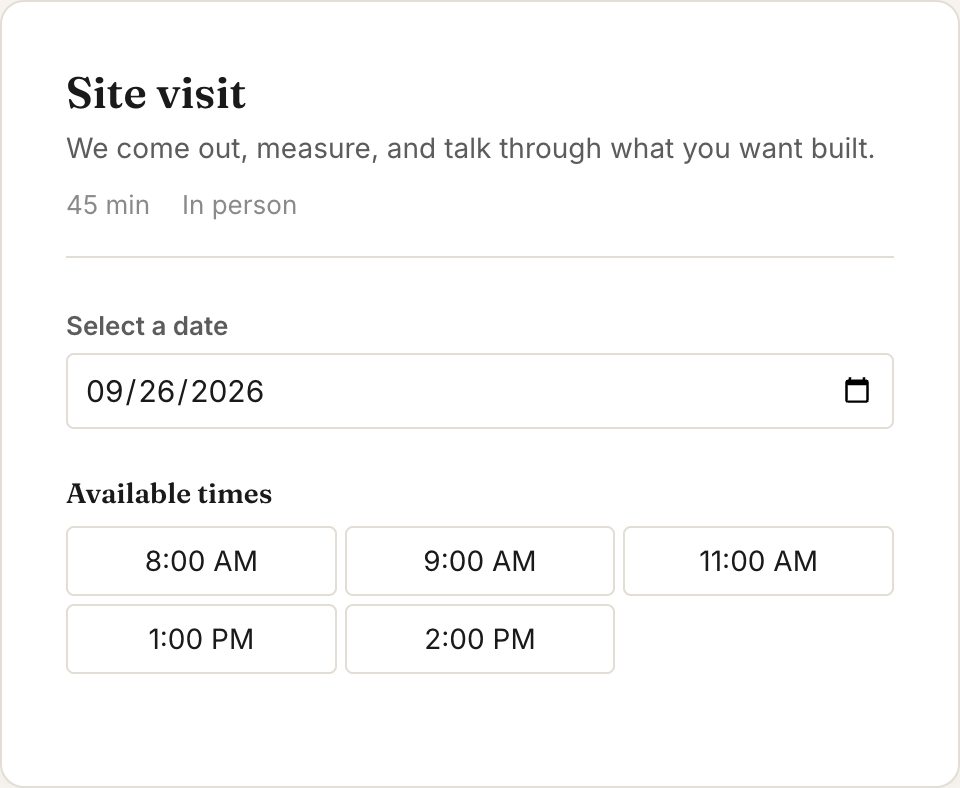
Homeowners book site visits in the hours you set and get email reminders 24 hours and 1 hour before. A booking doesn't create a project; you add that yourself.
Request forms with a yard photo
Requests from your website form become projects, with the yard photo as a link. A request whose email or phone matches an existing project goes into that project's history instead, so last year's patio client asking about a retaining wall lands on the old patio job. Start the wall project yourself.
Autofill from your site sketch
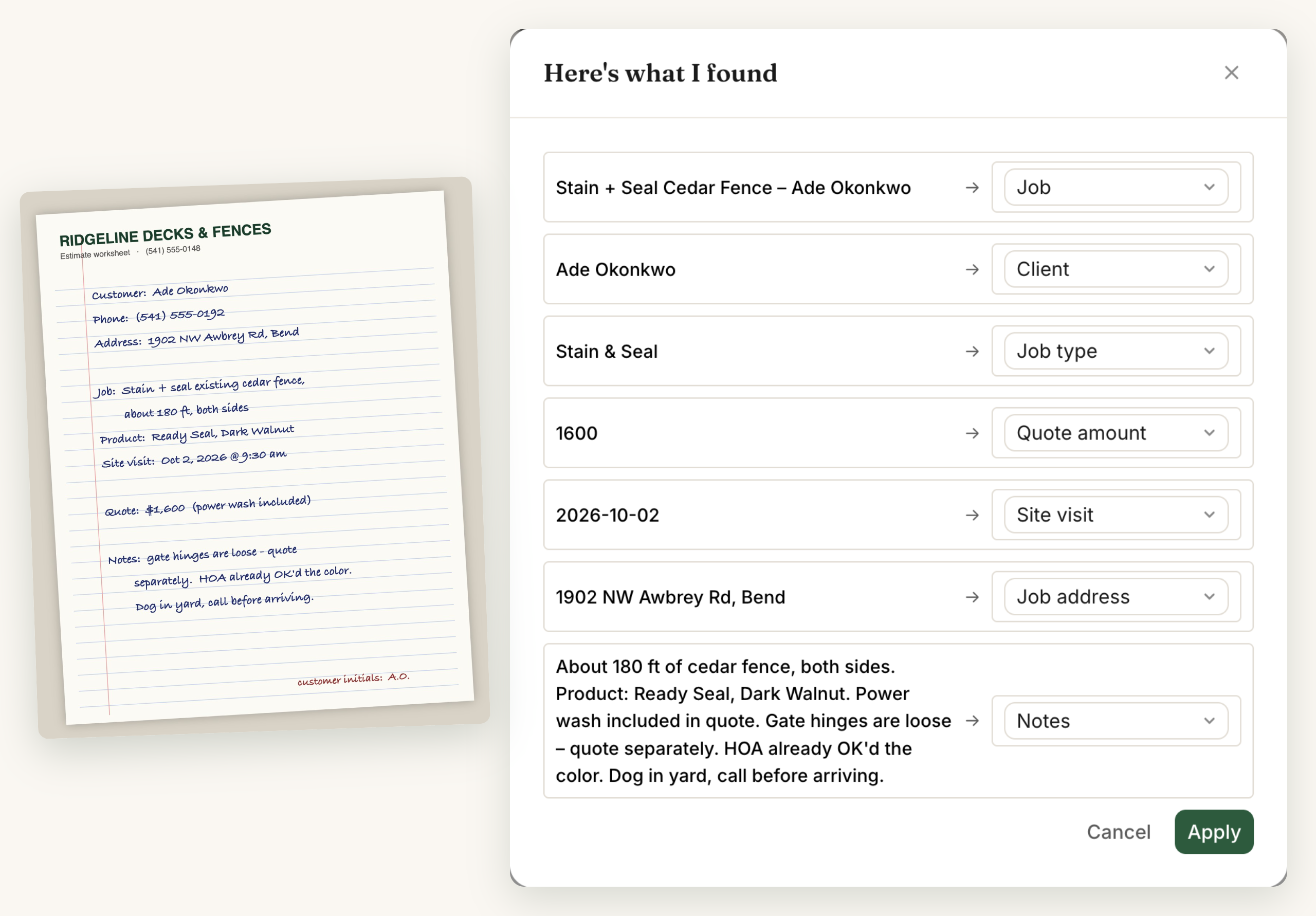
Photograph your site sketch with "paver patio 16 x 20, 320 sq ft, 85 ft steel edging, 6 boxwood" written on it, and Magie fills in fields like Square footage and Plant list. Nothing is saved until you approve each value.
Notes from the site
Type "Hendricks wants flagstone, new price $15,200, call him Thursday at 4" into Scratchpad, the box at the top of the To-dos card on your dashboard. Magie proposes the new price on the Hendricks project and a Thursday call to-do for you to approve.
Follow-up emails
From a sentence like "If a project sits in Proposal sent for 5 days, email my follow-up and give me a call to-do," Magie sets up the automation for you to check. Or "Email my aeration offer 330 days after Last aeration." That goes out once per date, so update Last aeration after each visit. Emails go to the address on that project or maintenance client, not the customer's.
Invoices and review requests
Customers pay invoices by card through your own Stripe account, and MagieCRM takes no cut. There's no deposit setting, so a deposit is its own invoice: $4,600 on a $13,800 patio, then $9,200 for the balance. When a project reaches Final paid, an automation can email your Google review link.
Where MagieCRM falls short for landscapers
- No route planning or crew scheduling. Projects show on a month calendar with no time slots, map or GPS, and only one person can be assigned to each.
- No text messages. When rain pushes Tuesday's installs, you email or call.
- No proposals that customers approve online. You attach the PDF and enter the amount. The yes comes by phone or email.
- No email blasts. A campaign picks people up one at a time through an automation, so a fall cleanup offer to all 80 customers isn't one click.
- No autopay, saved cards or partial payments. Sales tax goes on as its own line item.
- No QuickBooks or Xero sync. Records export to a spreadsheet anytime.
- No app to download. Crews open it in a phone's browser and need a signal, which rural properties don't always have.
- No measuring a lawn or bed from a map.
What a four-person office pays each month:
| Product and plan | Per month | Strongest points |
|---|---|---|
| Jobber Connect (5 users included) | $199 with no commitment, $149 billed yearly | Recurring visits with start and end times, every other week too, routing, GPS, online booking that schedules the job, a client hub where customers approve quotes and pay deposits, on-my-way texts, autopay, QuickBooks Online and Xero sync, a mobile app |
| GorillaDesk Basic (priced per route, any number of users) | $49 for 1 route, $149 for 3 routes | Recurring visits on your schedule, basic routing (up to 25 stops), broadcast messages to customers, automated emails and texts (texting is $5 a month plus message credits), Square or Stripe payments, an off-season account freeze. A customer portal, online booking, autopay, e-signatures, GPS and QuickBooks Online sync need Pro: $99 for 1 route, $199 for 3. |
| MagieCRM Starter plus 1 extra user | $114 | Your own trackers and fields, Scratchpad notes, fields filled from a photo, follow-up emails you describe in a sentence |
From each company's pages, October 1, 2026. Card fees are extra with all three. Jobber offers a 14-day free trial with no card. MagieCRM's needs a card but charges nothing until day 15.
What it costs
Starter is $99 a month for 3 people and 1,000 records. Extra people are $15 each, so four people pay $114. Growth is $179 a month for 10 people and 10,000 records. Every plan has every feature, and monthly billing has no contract.
The first 14 days are free, with every feature working, email and campaigns included. You pick a plan and add a card at signup, and the card is charged for that plan on day 15, then monthly. Cancel before then and you pay nothing. If you cancel, you keep using it until the trial or paid month ends. Then the account turns read-only: you can sign in, look at everything and export it. Your data is kept 90 days, then deleted.
Questions
Can MagieCRM schedule my weekly mowing routes?
No. There's no map, route planning or time-slot calendar, and a visit can be assigned to one person, not a crew. For route work, Jobber or GorillaDesk fits better.
Can MagieCRM text my customers?
No, only email. Jobber Connect has one-click on-my-way texts, and GorillaDesk sends automated texts for $5 a month plus message credits (checked October 1, 2026).
Can I bring my customers over from Jobber or a spreadsheet?
Yes, if you can export a CSV or Excel file. Magie matches your columns to your fields and points out anyone whose email or phone you already have, and nothing is saved until you OK it.
Try it with your own projects
Questions first? Email support@magiecrm.com and a person writes back within 24 hours.
Try it free for 14 daysCompetitor prices and plan features checked October 1, 2026: getjobber.com/pricing, Jobber help: Create a Recurring Job, Jobber help: Deposits on Quotes, gorilladesk.com/pricing, gorilladesk.com/features/job-scheduling-software. Spotted something wrong? Email support@magiecrm.com.