MagieCRM for cleaning companies
If your cleaning company runs on office contracts and one-off jobs like move-outs and post-construction cleans, MagieCRM is a CRM for the sales and admin side: walkthroughs, open quotes, renewals and follow-up calls. For a book of mostly weekly and every-other-week houses, Jobber will suit you better.
Checked October 1, 2026, against MagieCRM, Jobber and Housecall Pro.
What a cleaning company would track
Office contracts and move-outs need different lists, which MagieCRM calls trackers. There's no cleaning template, so you set them up or have Magie, the built-in assistant, suggest some. For a company doing both:
Jobs and contracts each get an email field, because automatic emails go to the address on that record, not the client's.
From walkthrough to review request
Walkthrough bookings and quote requests
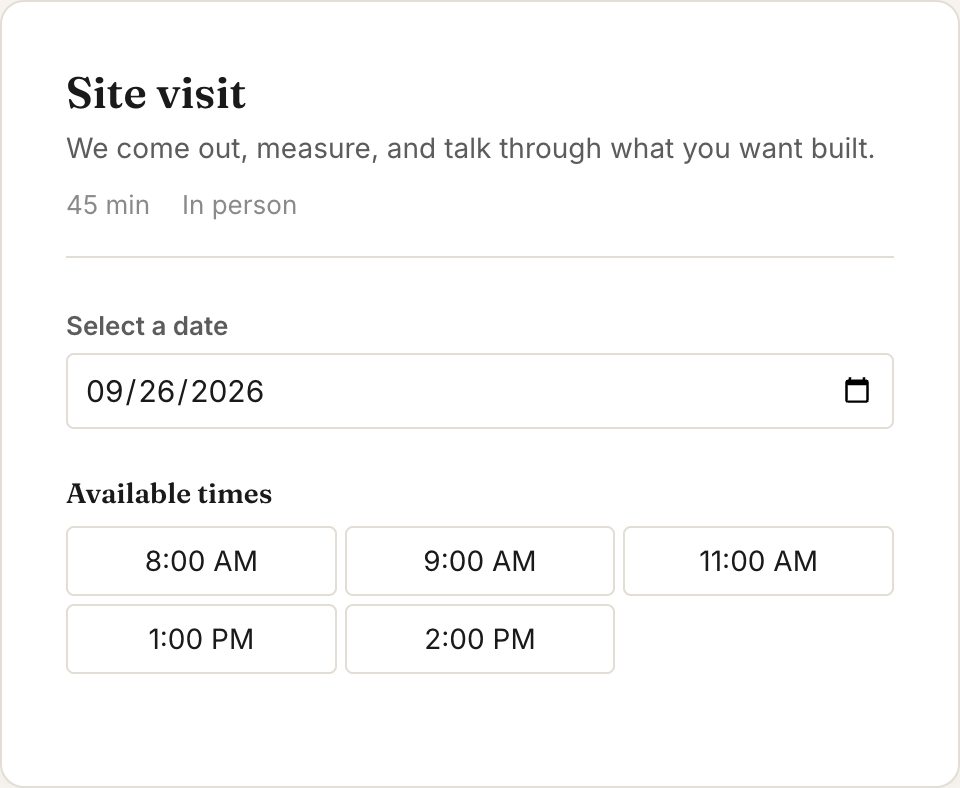
Send a prospect your booking link and they pick a walkthrough time, then get email reminders the day before and an hour before. The booking doesn't make a job, so add the prospect yourself. Quote requests from your website's form do come in as jobs, with a photo of the oven if you ask for one. A request matching an existing job's email or phone goes into that job's history instead, so add a returning client's next clean yourself.
Walkthrough notes
After a walkthrough, type what you saw into Scratchpad, the box at the top of the To-dos card on your dashboard: "Harbor View Dental, 4,200 sq ft, 3 restrooms, price by Thursday." Magie finds the job, fills in the square feet and adds a Thursday to-do once you approve. Got a paper walkthrough sheet? Photograph it with Autofill and Magie fills in the job's fields.
Quote follow-ups and renewal reminders
Tell Magie the rule in plain words: "If a job sits in Quote sent for 4 days, email the client my quote follow-up and give me a call task." Or: "45 days before the renewal date, give me a task to call the site contact." It only sends email templates you wrote.
Inspections and checklists
Set inspections to repeat monthly and MagieCRM adds one for every contract, dated the 1st with no time or inspector, like "Maple Street Pediatrics, October 2026." Ended contracts get one too, so delete a contract when you lose the building. Put a checklist on the Scheduled stage, like inside oven, inside fridge, baseboards and after photos, and your crew ticks it off on a phone. Every job in that stage gets the same list.
Invoices, then a review request
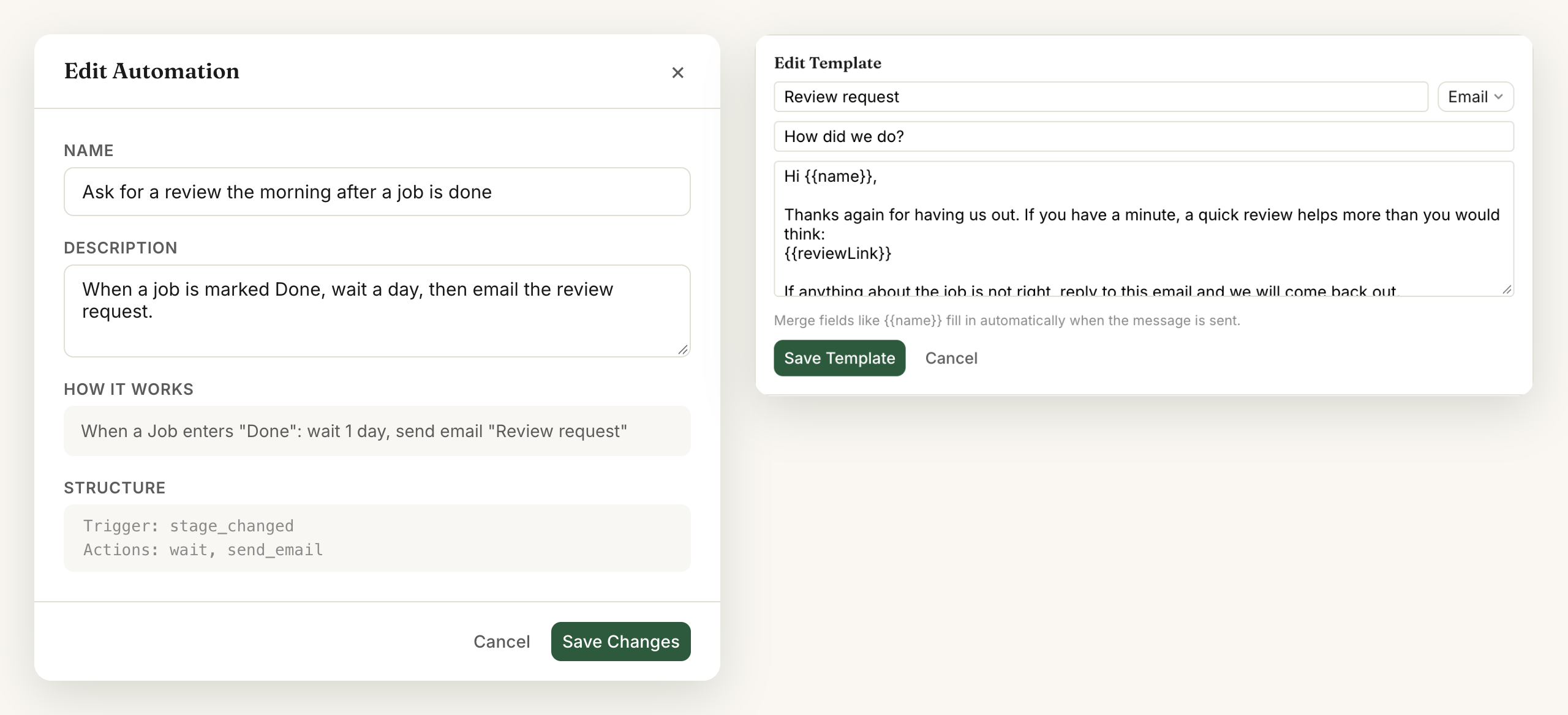
Invoice a move-out from the job through your own Stripe account, so the client can pay by card online. MagieCRM takes no cut. Contract clients aren't billed automatically. You make each month's invoice. The day after a job moves to Cleaned, an automation can email the client your review request and Google review link.
Where MagieCRM falls short for cleaning companies
- No every-other-week cleans. Repeat jobs go weekly, monthly, quarterly or yearly, so you add biweekly cleans yourself.
- Weekly houses eat the record limit. Each adds 52 visits a year, finished or not, so 60 weekly houses fill Starter's 1,000 records in under four months.
- No schedule by cleaner. A job gets one person, and repeat visits land on the Monday of their week with no time and nobody assigned. The month calendar loads only a tracker's 200 most recently changed records, so 60 weekly houses won't all show. No clock-in or route map either.
- No text messages.
- No card on file. No autopay, recurring invoices or deposits either, and invoices can't add sales tax.
- No quotes clients can approve online. A building manager can't click to accept your bid. You email your PDF from your own inbox.
- No QuickBooks or Xero sync.
- No App Store or Google Play app. Cleaners use MagieCRM in a phone's browser, which needs a signal.
Here's what Jobber and Housecall Pro cost for 5 users:
| Product and plan | Per month | What stands out |
|---|---|---|
| Jobber Connect (5-user tier) | $199 with no commitment, $149 billed yearly | Visits that repeat every 2 weeks with a time and assigned cleaners, visit reminders and quote follow-ups by text or email, a client hub where customers approve quotes and pay, autopay, clock-in, routing, GPS, QuickBooks Online and Xero sync, mobile app |
| Housecall Pro Essentials (5 users included) | $189, or $149 billed yearly | Dispatch board, estimates, price book, job costing, checklists, routes, GPS, QuickBooks sync, mobile app with offline viewing |
| MagieCRM Starter plus 2 extra users | $129 | Scratchpad, Autofill from a photo, automations you describe in plain English, email campaigns, your own trackers for contracts and inspections |
Card processing fees are extra with all three. Jobber's email campaigns are in its $99-a-month Marketing Suite add-on. Housecall Pro's service plans, which bill a saved card automatically, need its MAX plan: $329 a month for 8 users, $299 billed yearly. Working alone? Jobber Core is $49 a month for 1 user ($29 billed yearly), with the client hub but no automated reminders or autopay. The full side-by-side is MagieCRM vs Jobber, written for a pest control company.
What it costs
The first 14 days are free, with every feature working, email and campaigns included. You pick a plan and add a card at signup, and the card is charged for that plan on day 15, then monthly. Cancel before then and you pay nothing. If you cancel, you keep using it until the trial or paid month ends. Then the account turns read-only: you can sign in, look at everything and export it. Your data is kept 90 days, then deleted. Jobber and Housecall Pro offer 14-day free trials with no card.
Starter is $99 a month for 3 users, and each extra user is $15 a month. Cleaners who log in count as users. Every plan has every feature, and monthly billing has no contract.
Every client, job, contract and inspection counts toward the record limit until you delete it, finished ones included. With 18 office contracts inspected monthly and 20 one-off jobs a month from new clients, you start at 36 records and add about 58 a month, so Starter's 1,000 lasts about 16 months. Growth is $179 a month for 10 users and 10,000 records.
Questions
Can MagieCRM text my clients?
No. Reminders, follow-ups and invoices go by email. If your clients expect a text the night before a clean, this isn't the right tool.
Can it schedule every-other-week cleanings?
No. You'd add each one yourself. Jobber's visits can repeat every 2 weeks.
Can I bring my client list over from another app?
Yes, from a CSV or Excel export. Magie suggests which column goes where and leaves out likely duplicates unless you tick them. Nothing is saved until you approve.
Try it with your own contracts
Questions first? Email support@magiecrm.com and a person writes back within 24 hours.
Try it free for 14 daysChecked October 1, 2026: getjobber.com/pricing, housecallpro.com/pricing, Jobber's help articles Create a Recurring Job and Assessment and Visit Reminders, and Housecall Pro's Billing and Payments for Service Plans.