MagieCRM for HVAC companies
MagieCRM fits an HVAC office that tracks service calls, replacement proposals, agreement renewals and the equipment in each house. If your week runs on dispatching techs, texting customers or billing agreements automatically, Housecall Pro or Jobber will suit you better.
Prices and features checked October 1, 2026.
Setting it up for an HVAC shop
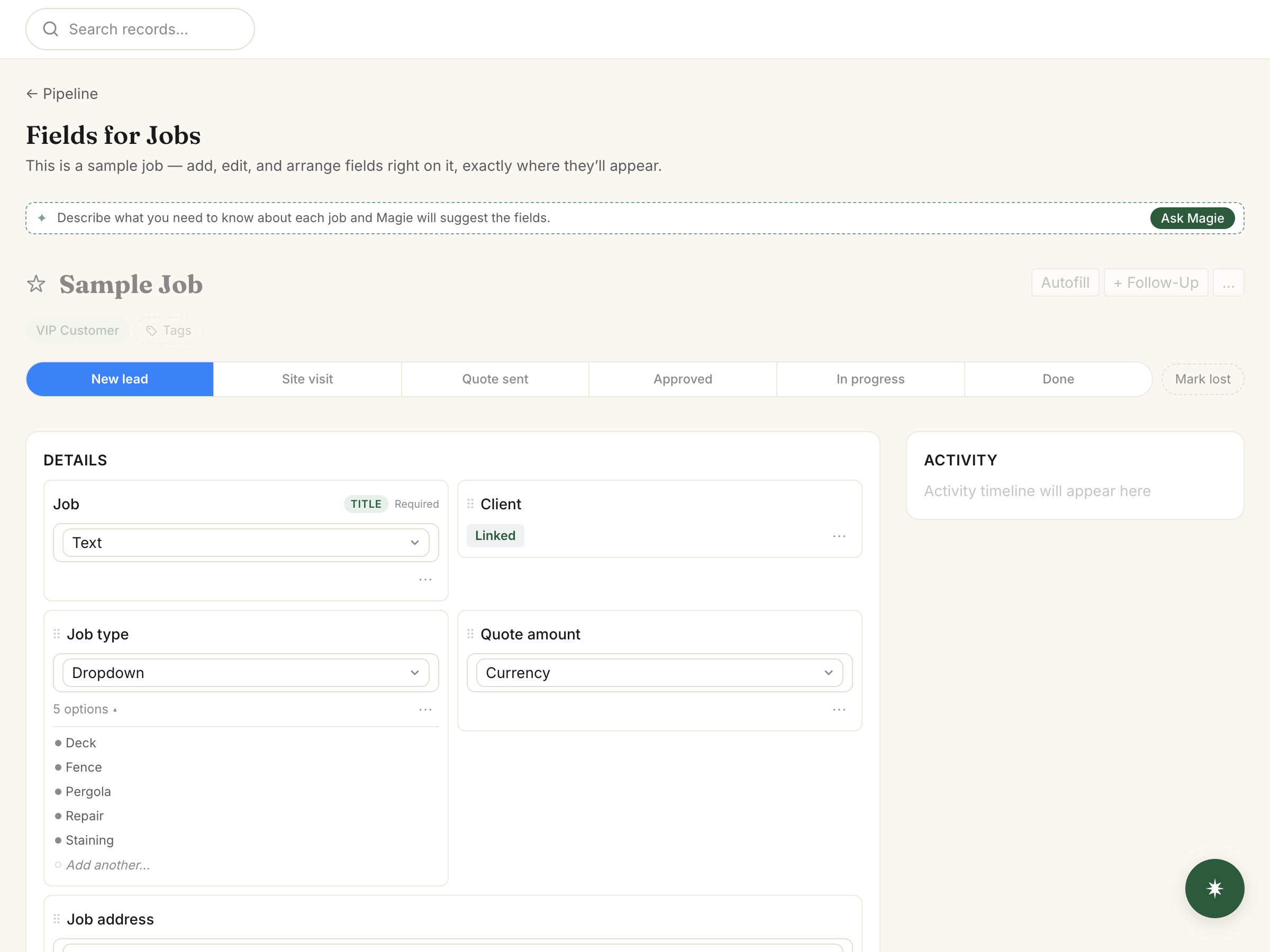
There's no HVAC template. Set up your own lists, called trackers, or describe your shop to Magie, the built-in assistant, and keep what it suggests. A five-person shop might use:
Agreements and replacements each need an Email field: a renewal reminder goes to the agreement's email, not the customer's.
Day to day in an HVAC office
Maintenance agreements and tune-ups
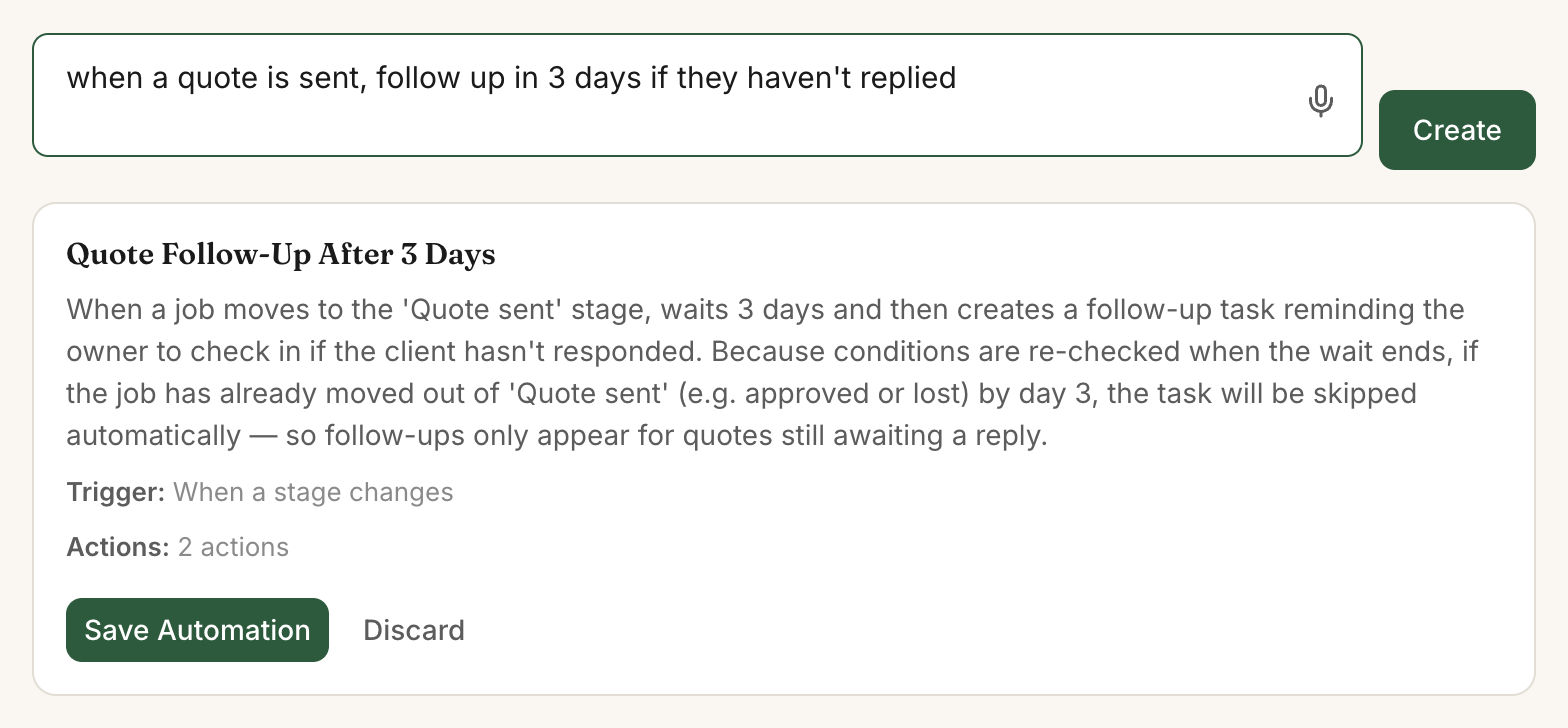
Describe an automation the way you'd say it: "30 days before an agreement renews, send my renewal email and remind whoever has the account to call." Do the same 21 days before Next tune-up, with your booking link in the email. After the spring visit, set Next tune-up to the fall date and it goes out again. Magie only sends emails you wrote.
Quarterly filter changes on commercial accounts can be a recurring job if they have their own tracker. Each quarter makes a job for every account, lost ones included, dated the first day with no time or tech. Delete an account when it ends.
Replacement proposals
If a replacement sits in Proposal sent for 3 days, an automation can email your follow-up and remind the salesperson to call.
Equipment and warranties
Photograph the data plate and Autofill tries to read the model and serial number for you to check. A house with two systems needs a second set of fields, like Upstairs AC serial. An automation can remind you to offer an agreement 60 days before the warranty ends.
Bookings and service requests
Customers can book an estimate online and get email reminders 24 hours and 1 hour before. A booking doesn't create a replacement record, so someone still adds the lead.
Your website's request form opens a new service call unless the email or phone matches an existing one. Then a past customer's no-heat request lands on one of their old calls, and someone opens the new one by hand.
Notes after a service call
Back from a no-heat call, a tech can type the whole visit into Scratchpad, the box at the top of the To-dos card on your dashboard: "Kowalski, red-tagged the furnace, cracked heat exchanger. Quoted $7,400, call back Monday." Magie finds Kowalski's service call and drafts the updates and a Monday to-do for you to approve.
Where MagieCRM falls short for HVAC companies
- No dispatch board, hour-by-hour tech schedule, map, routing or GPS. A job gets one tech and shows on a month calendar by date.
- No text messages, not even an on-my-way text.
- No quotes customers approve or sign online, and no good-better-best options.
- No flat-rate price book. One price per item, no cost or markup.
- No service plans that bill themselves. No autopay, saved cards or recurring invoices.
- No twice-a-year recurring jobs.
- No QuickBooks or Xero sync.
- No native app. It runs in your phone's browser and needs a signal, which basement mechanical rooms often lack.
- Invoices can't add sales tax, take a deposit or record a partial payment. Customers pay by card through your own Stripe account; MagieCRM takes no cut.
Here's what Housecall Pro and Jobber cost for five people. ServiceTitan charges per technician and only quotes on request.
| Product and plan | Per month | What stands out |
|---|---|---|
| Housecall Pro Essentials (5 users included) | $189, or $149 billed yearly | Dispatch board, estimates with options that customers approve and sign online, flat-rate pricing with margins, job costing, routes, GPS, QuickBooks Online sync |
| Housecall Pro MAX (8 users included, $35 a month each after that) | $329, or $299 billed yearly | Everything in Essentials, plus service plans that create the visits and bill automatically, and good-better-best proposals |
| Jobber Connect (5-user tier) | $199 with no commitment, $149 billed yearly | Client hub where customers approve quotes and pay, on-my-way texts, autopay, routing, GPS, custom fields, QuickBooks Online and Xero sync |
| MagieCRM for 5 people | $129 on Starter, or $179 on Growth once you pass 1,000 records | Your own stages and fields, Scratchpad, Autofill from a photo, plain-English automations |
Two-way texting, where customers text back, starts with Jobber Grow, $299 a month for 5 users with no commitment. Housecall Pro also has custom fields on jobs and an equipment list for each property; its pages don't say which plan has them. Jobber and Housecall Pro offer 14-day free trials with no card. MagieCRM's needs a card but charges nothing until day 15.
What it costs
Starter is $99 a month for 3 people and 1,000 records, plus $15 per extra person, so five people pay $129. Growth is $179 for 10 people and 10,000 records. Every plan has every feature, and monthly billing has no contract.
The first 14 days are free, with every feature working, email and campaigns included. You pick a plan and add a card at signup, and the card is charged for that plan on day 15, then monthly. Cancel before then and you pay nothing. If you cancel, you keep using it until the trial or paid month ends. Then the account turns read-only: you can sign in, look at everything and export it. Your data is kept 90 days, then deleted.
Every customer, job, lead and agreement counts toward the record limit, finished jobs included. A shop with 200 maintenance members has 400 records to start, a customer and an agreement each. Add 40 service calls and 10 replacement leads a month and you reach 1,000 by the end of the first year. Log tune-ups as jobs or import past customers and you get there sooner, so budget for Growth.
Questions
Can MagieCRM text my customers?
No, it sends email only. Jobber's Connect plan sends reminder and on-my-way texts ($199 a month for 5 users, no commitment, as of October 1, 2026).
Can MagieCRM bill maintenance agreements automatically?
No. It can remind you and the customer, but you send each renewal invoice yourself. Housecall Pro's MAX plan has service plans that bill the customer automatically ($329 a month, or $299 billed yearly, as of October 1, 2026).
Does MagieCRM work with QuickBooks?
No, there's no QuickBooks or Xero sync. Jobber syncs with QuickBooks Online and Xero on Connect and up. Housecall Pro syncs with QuickBooks Online on Essentials and up.
Try it with your own agreements
Run a real agreement or two through it before day 15. Questions first? Email support@magiecrm.com and a person writes back within 24 hours.
Try it free for 14 daysCompetitor prices and features checked October 1, 2026: housecallpro.com/pricing, getjobber.com/pricing, Jobber's Connect plan article, housecallpro.com/features/estimating-software, housecallpro.com/features/recurring-service-plans, housecallpro.com/features/property-profiles, Housecall Pro's custom fields article, servicetitan.com/pricing. Spotted something wrong on this page? Email support@magiecrm.com.