You've never loved a CRM. Until now.
Most CRMs make you work their way. You spend a week setting one up, and a month bending your business to fit. MagieCRM works however you work. Setup takes one sitting, and when something changes, changing the CRM takes a couple of minutes.

Stop opening every record to type in what happened.
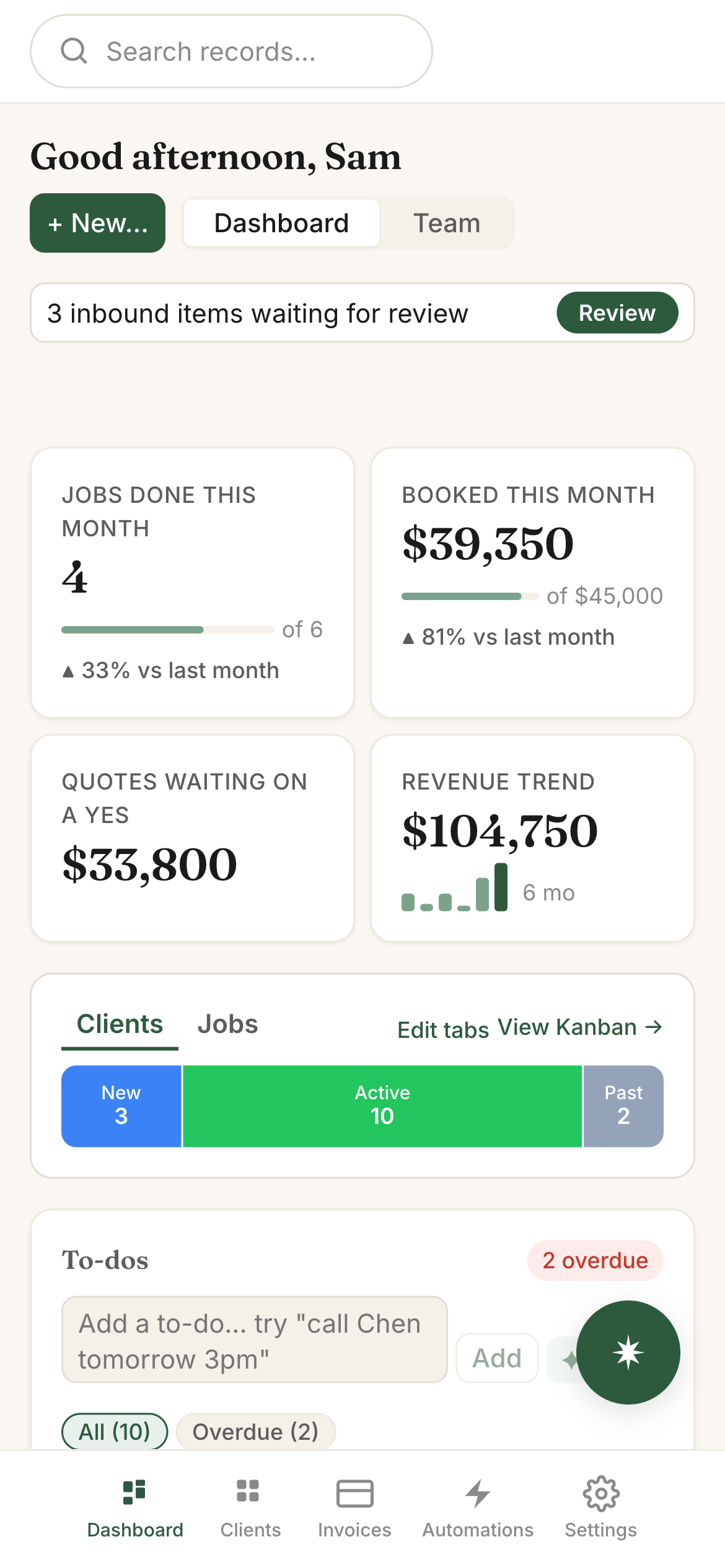
This is where most of your time comes back. Scratchpad is a box in your dashboard. Type a quick to-do, or dump in everything from today's calls at once. Magie works out which records it's about, updates them, and adds the to-dos and meetings. You look it over and approve it. That's it.
Type "call Dana Thursday at 2" and you'll get a reminder Thursday before 2, on your phone and in the app.
One paste can update several records. Each change comes with a short note on why, and nothing saves until you say so.
To-dos and meetings together, sorted by overdue, today and upcoming. Push something to tomorrow, or a few days out, right from the list.
Set it up the way you already work.
Nothing comes pre-built, so you don't spend the first week deleting someone else's idea of a sales pipeline. You add what you track, call it what you call it, and move on.
Magie can walk you through it one step at a time. Or, if you'd rather click around yourself, it's easy to do everything from the menus too.
Track whatever you track. Clients, jobs, properties, dogs. Keep a tracker on its own, group a few together, or link them so a client's jobs show up on the client.
Your words, your stages. Name the stages what your team already calls them. Add some fields and hit the ground running. Edit them anytime.
Change it when the business changes. Rename, rearrange, add a stage. It takes about ten seconds, and you don't start over.
Bring your spreadsheets with you.
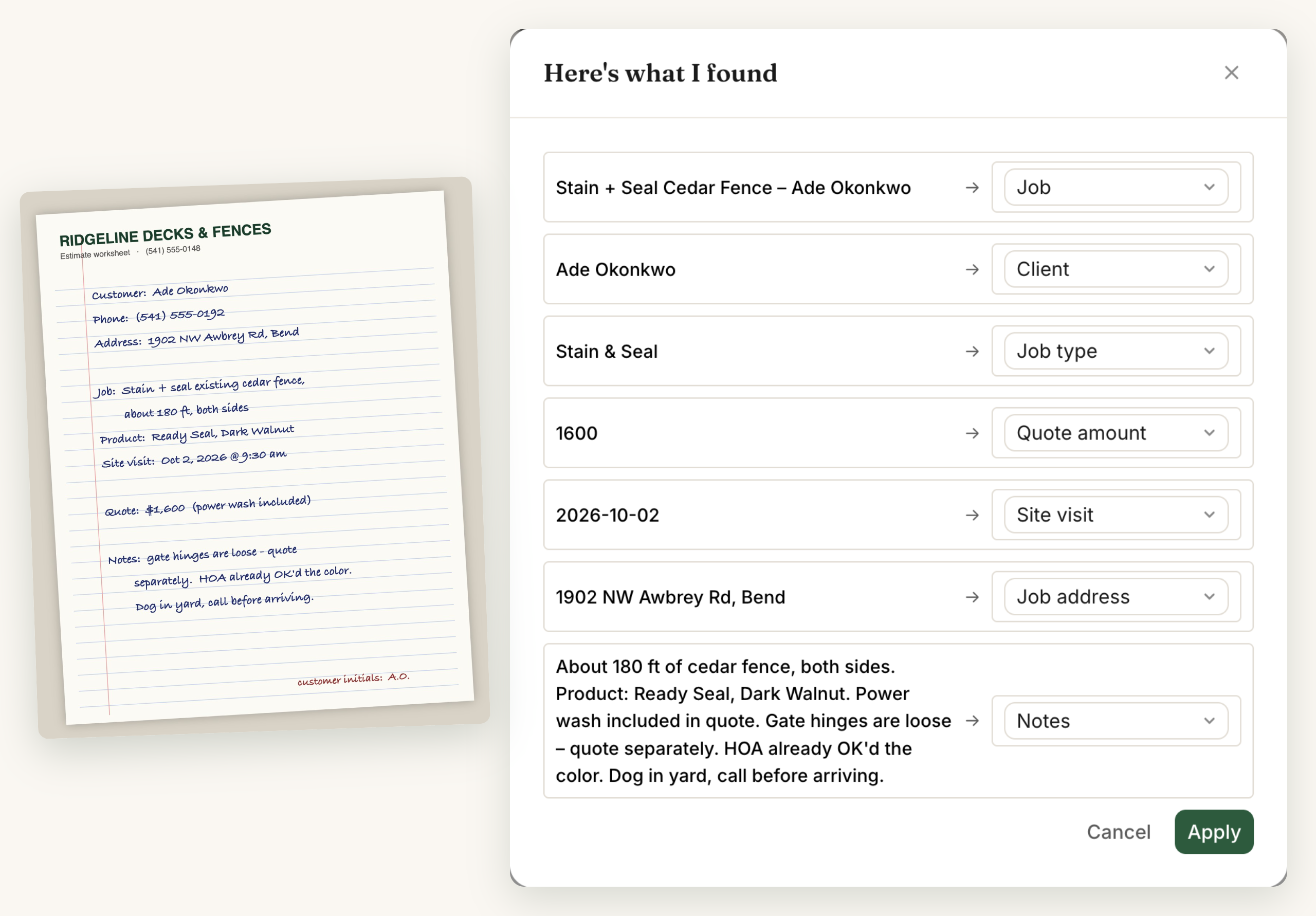
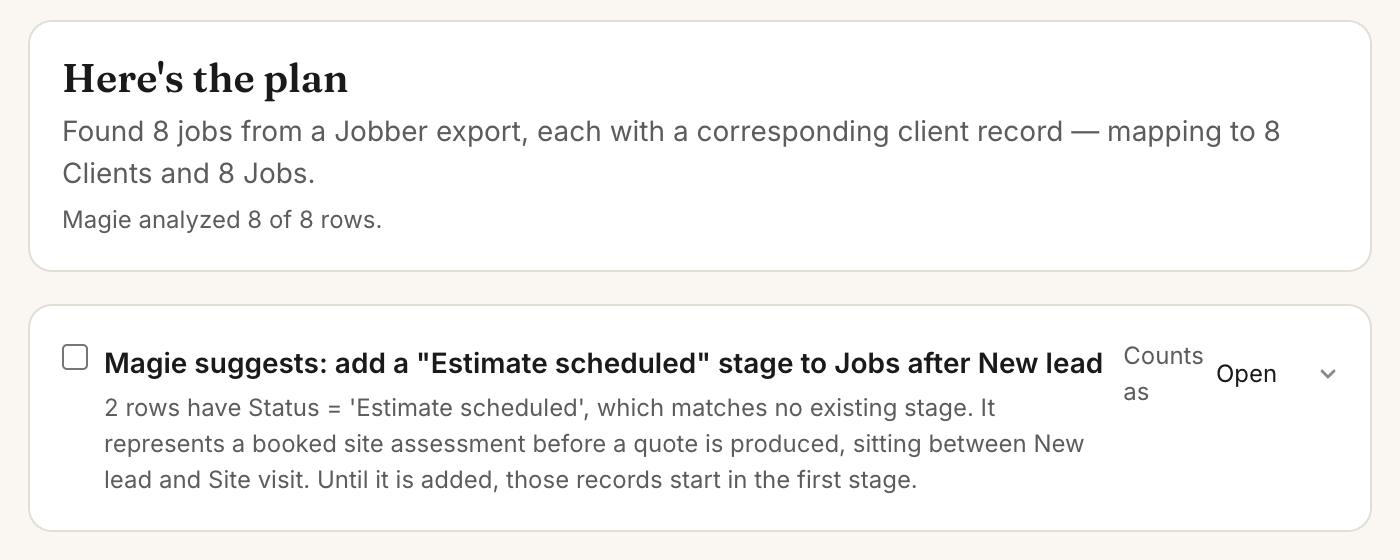
Upload your old spreadsheets, or a whole folder of files. Magie sorts them into records, attaches documents to the right ones, checks for duplicates, and suggests how to set up your trackers. Nothing gets written until you approve the plan.
Automations
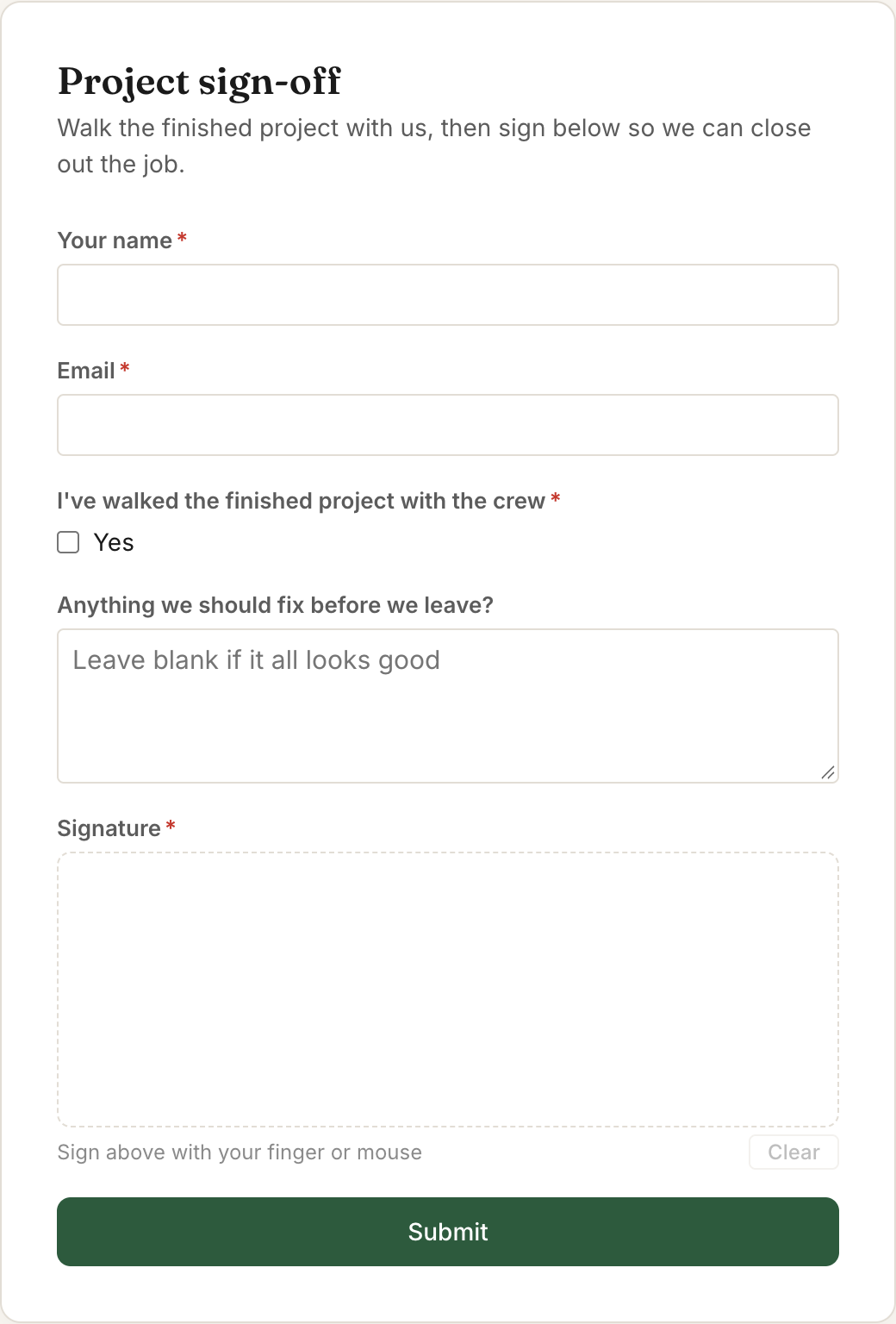
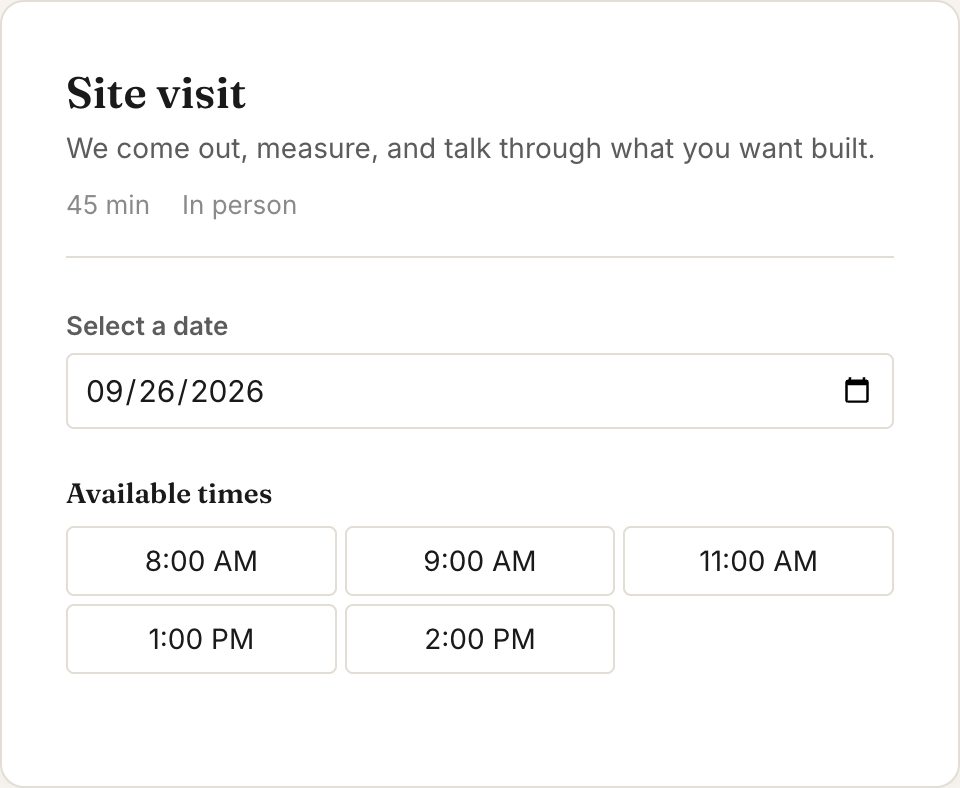
Set up automations as fast as you can think of them. All you have to do is write it out, confirm it, and it starts running. A rule can start from a stage change, a date coming up, a form, a booking or a reply. It can send an email, create a task, move a stage, wait a few days and check again, and more.
Less typing. The only reason a CRM ever stays up to date.
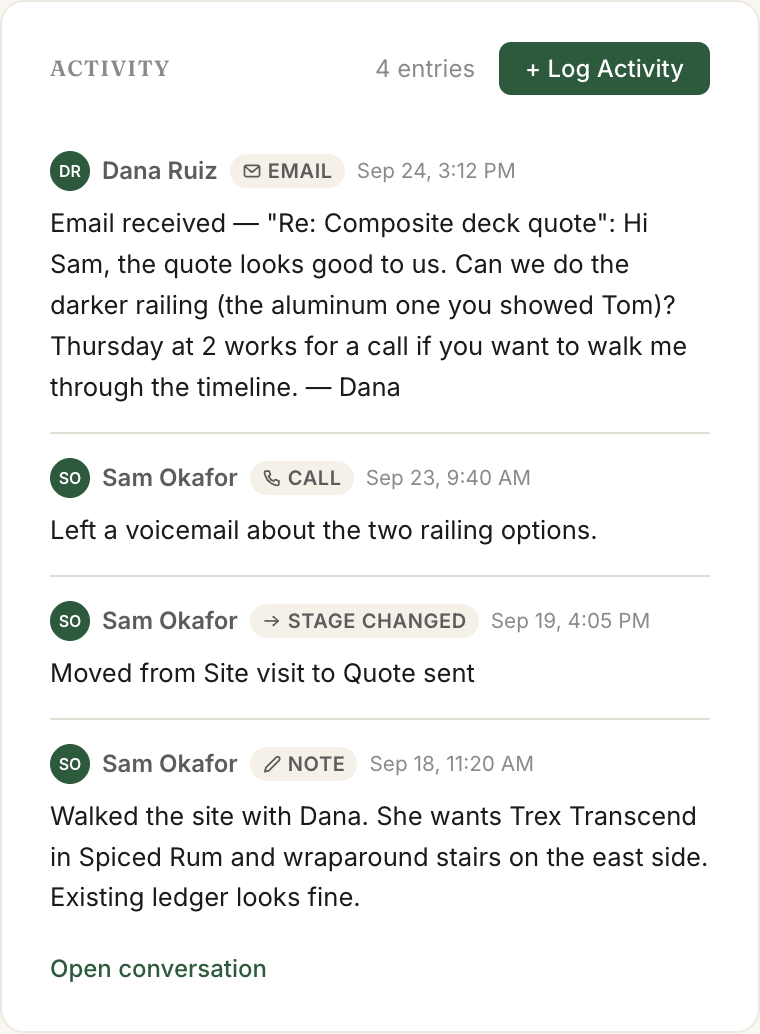
Most CRMs die of data entry. So a lot of it comes in without you.
It handles the rest of the week, too.
Send an invoice from any record.
Make an invoice right from the customer's record and send it through Stripe, so they can pay online.
Ask for the review while the job's still fresh.
Set one to go out when a job is marked done, or the next morning if that feels less pushy. Most people mean to ask and then forget. This way you don't have to remember.
Pick from pre-designed reports, or create your own.
Pick the numbers you actually check, like jobs closed this month or invoices still unpaid, and keep them on one screen. Set a goal and you'll see how close you are before anyone has to ask.
Bring your team in. Decide what each person sees.
The team view shows who's working on what, all on one screen. Permissions are set person by person, so you choose what each one can see and change.
14 days free.
Pick a plan and add a card to start. Nothing is charged for 14 days. On day 15 your card is charged for the plan you picked, and then once a month until you cancel. Cancel before day 15 and you pay nothing.
Start your 14-day free trial Want to ask something first? Email support@magiecrm.com and a person writes back, usually within 24 hours.Every plan gets every feature.
Automations, campaigns, forms, booking pages, invoices, reports, team permissions, Scratchpad, Autofill, import and export work the same on all three. The plans differ in how many people use it and how many records you keep. Your forms, booking page and automated emails to customers show a small "Powered by MagieCRM" line, and you can turn it off on any plan.
Extra users are $15 a month each. Yearly billing is available after your first payment.
You get every feature, with three limits until the first payment:
Magie use covers chat, Scratchpad, Autofill, imports and forwarded emails. If the $20 runs out, Magie pauses until your plan starts, or you can start the plan early.
Cancel whenever you want, from Settings. Cancel during the trial and you pay nothing. Cancel after the first payment and you keep full access until the end of the period you paid for.
When a plan ends, or the first payment after the trial doesn't go through, the account turns read-only. You can still sign in, look at everything and export your records to spreadsheets. Within 90 days, pay the open bill or restart your plan (charged when you restart) and your records and setup are all there. Email campaigns that were paused stay paused until you start them again. After 90 days the data is permanently deleted.